
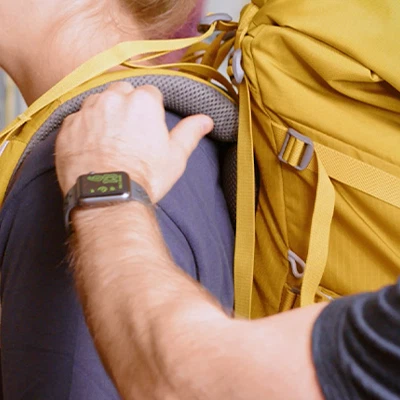
Properly adjusting your climbing backpack can reduce shoulder and waist strain, improve carrying comfort, and make your climbing trip easier and more enjoyable. So how do you properly adjust your climbing backpack? USLiNT ASIA shares six tips:
Loosen All Straps
Before packing, loosen all straps on your climbing backpack, including the shoulder straps, hip belt, and chest strap. If your climbing backpack also has compression sacks or load-lifting straps, it’s best to loosen them as well. After loosening them, pack your climbing items into your climbing backpack.
Adjusting The Hip Belt
Many people’s first thought is to adjust the climbing backpack’s shoulder straps, but this isn’t always the case. The first step in adjusting your climbing backpack’s straps should be to adjust the hip belt. This ensures that the majority of the pack’s weight is distributed across your hips. Put on your backpack and secure the hip belt slightly above your hips. If the hip belt has a lifter at the bottom, don’t forget to tighten it.
Adjusting The Shoulder Straps
After adjusting the hip belt, adjust the shoulder straps. Continue adjusting the length until the climbing backpack fits snugly against your back. This will effectively prevent significant movement during climbing. The right shoulder strap length also reduces the weight on your shoulders. Straps that are too long place the entire weight of the pack on your hips. Straps that are too short can put excessive pressure on your shoulders.
Adjusting The Sternum Strap
To better secure the climbing backpack, most climbing backpacks have two additional sternum straps in between the shoulder straps, which can be connected with buckles. Adjust the tightness of the sternum straps to ensure they fit snugly against your shoulders when buckled, but not too tight to restrict your breathing.
Adjusting The Stabilizer Straps
Some climbing backpacks have stabilizer straps on the shoulder and hip fins. Tighten them so that the top of the climbing backpack, where the handles meet, fits snugly against your back, preventing movement and further stabilizing the backpack.
Tightening The Compression Straps
If your climbing backpack has compression straps on both sides, be sure to tighten them. This provides additional stability and further enhances the climbing backpack’s stability during hiking.

Other Tips:
In addition to adjusting all the straps, a stable and comfortable climbing backpack also requires careful attention to the proper placement of your climbing items. When packing, follow these guidelines:
1. Place large, lightweight, infrequently used climbing items at the bottom of the climbing backpack, such as clothing and sleeping bags.
2. Place heavy climbing items at the innermost part of the climbing backpack, close to your back.
3. Fill the outer edges of the climbing backpack first, then add the rest of the climbing items to the top. And the frequently used climbing items should be placed at the top for easy access.
4. The total weight of all climbing items in the climbing backpack should not exceed 25% of your body weight.
When adjusting the climbing backpack straps, always ensure the climbing backpack fits snugly on your back, ensuring there is no excessive play between the straps and your back. However, if the hip belt is correctly positioned and tightened, and you feel the weight is too heavy on your shoulders, you can slightly loosen the shoulder straps to improve comfort. It is important to ensure that this process does not increase the gap between the hip belt and the climbing backpack.